In this article
- Can AI really optimize a large legacy codebase safely?
- Why legacy optimization fails without guardrails
- What Anthropic, Microsoft/GitHub, Shopify, and Airbnb Show
- Safeguard 1: Tests first
- Safeguard 2: Incremental changes
- Safeguard 3: Profiling
- Safeguard 4: Human approval gates
- The 200,000-Line Python Codebase Playbook
- What not to delegate to AI
- The realistic answers
- Frequently Asked Questions
- Supporting Links
- About Baytech
- About the Author
Can AI really optimize a large legacy codebase safely?
Most executives who ask this question have the same kind of system in mind: an application that is 10 or 15 years old and runs a core part of the business. It has few tests, its original authors have moved on, and every release feels like a risk. AI coding tools now promise to refactor, migrate, and speed up that code in weeks instead of years.
The honest answer is yes, AI can do much of that work, but the safety does not come from the AI itself. It comes from the engineering process that surrounds it.
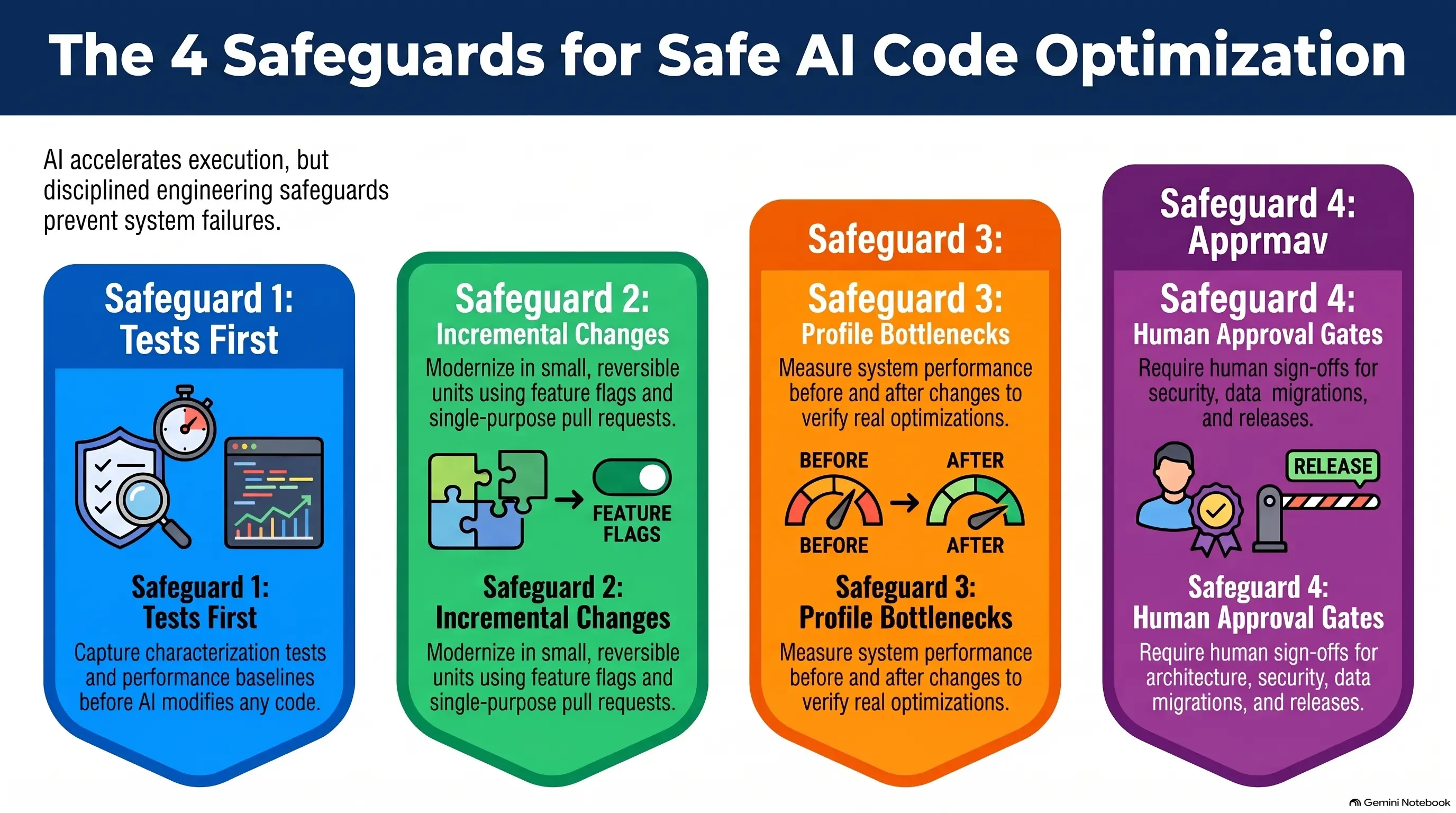
The central argument of this playbook is simple: AI accelerates execution, but engineering discipline determines whether the result is trustworthy.
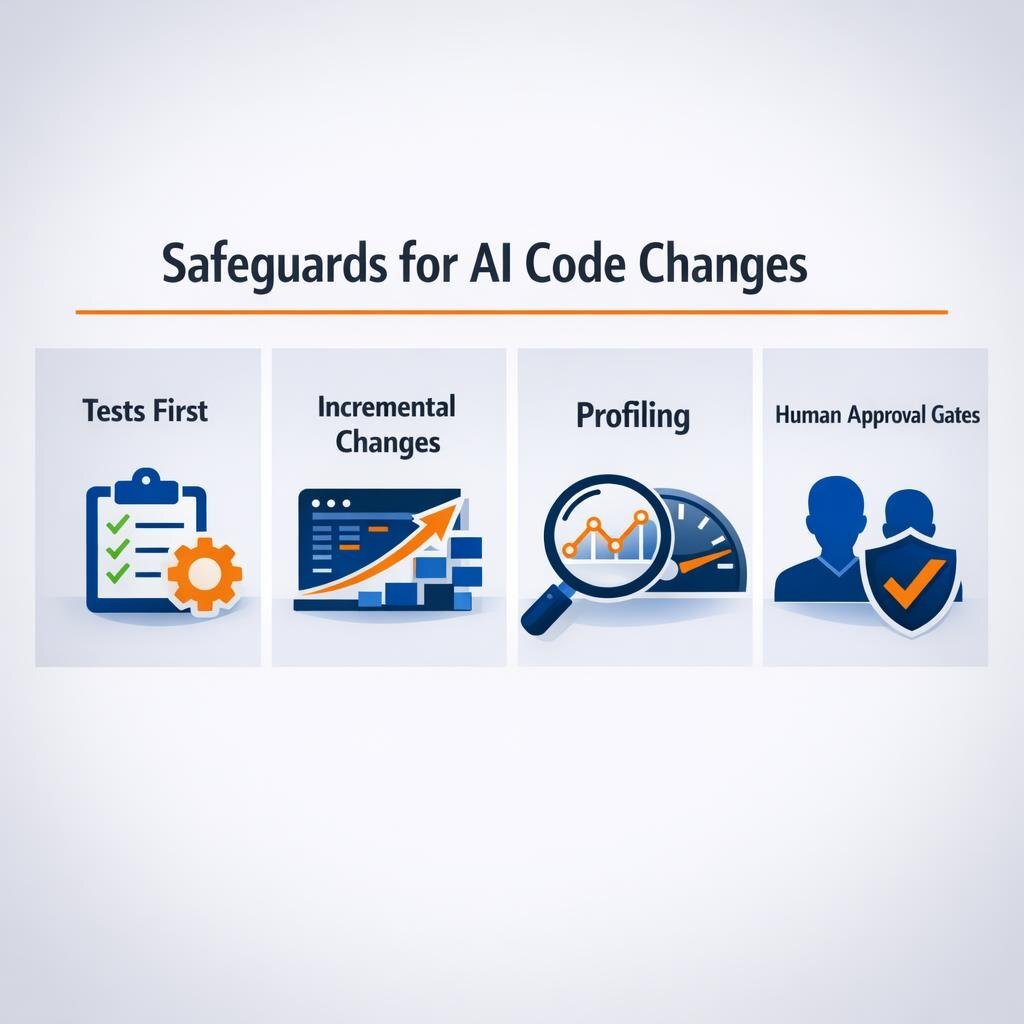
That discipline comes down to four safeguards:
- Tests first. Capture current behavior and performance before any code changes, so that every later change has a baseline to match.
- Incremental changes. Change the system in small units that can be verified and rolled back on their own.
- Profiling. Measure the real bottleneck before and after each optimization instead of relying on intuition or an AI suggestion.
- Human approval gates. Engineers and business owners keep the decisions on architecture, security, data, rollout, and acceptance.
The sections below show how four organizations applied these safeguards at scale and then turn them into a repeatable workflow, so that AI writes more of the code while people keep the decisions that carry business risk.
Why legacy optimization fails without guardrails
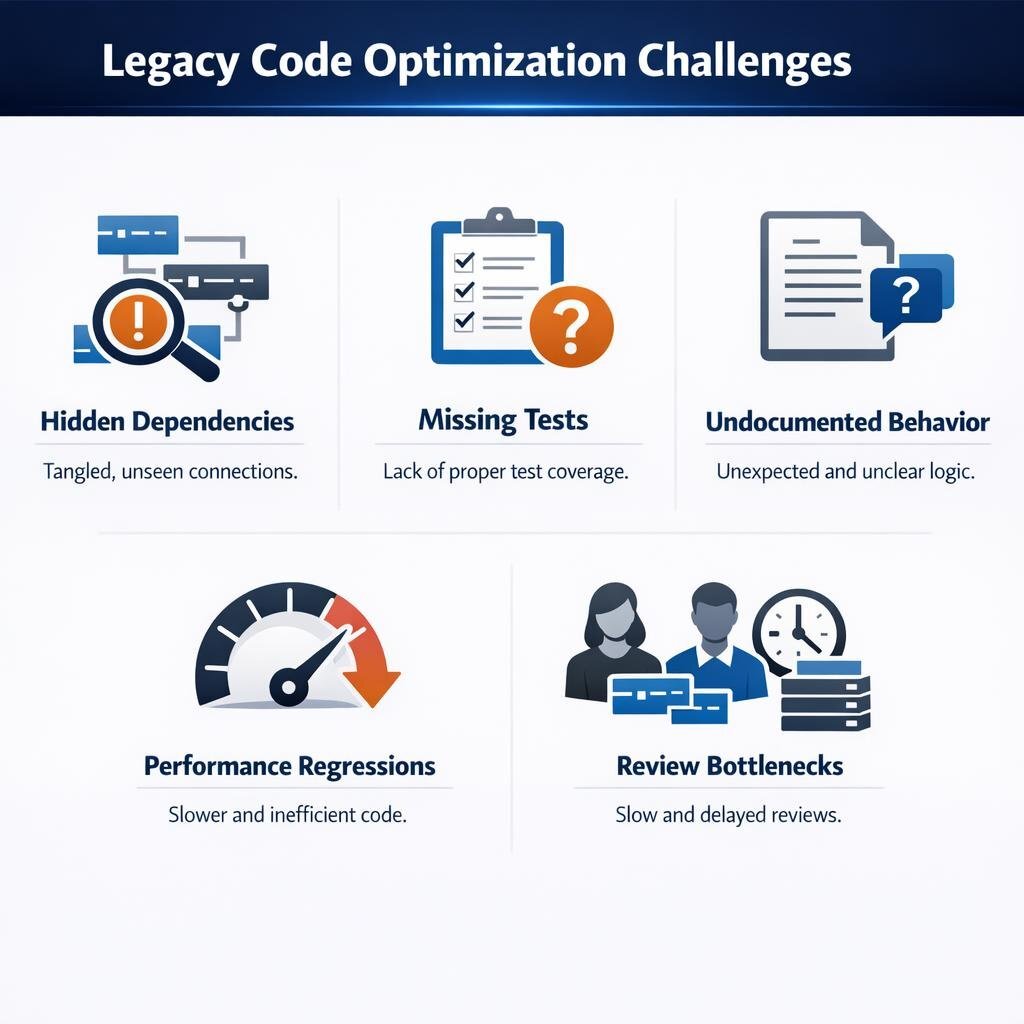
Legacy projects rarely fail because the new code is bad; they fail because nobody knew everything the old code did. The same five problems appear again and again:
- Hidden dependencies. A function that looks simple also feeds a nightly billing export or a partner API that nobody remembered.
- Missing tests. Without tests, nobody can prove that the new version behaves like the old one, and an AI agent cannot prove it either.
- Undocumented behavior. Rounding rules and date edge cases are often unwritten requirements, and some of them are bugs that customers now depend on.
- Performance regressions. Cleaner code can also be slower code, and without a baseline the first warning usually comes from customers.
- Review bottlenecks. AI produces changes faster than people can review them, so large pull requests get approved without a real review.
That last problem grows as AI adoption grows. Anthropic reports that AI-assisted development pushed daily merges into its monorepo from about 2,500 in May 2026 to more than 30,000 in September 2026.
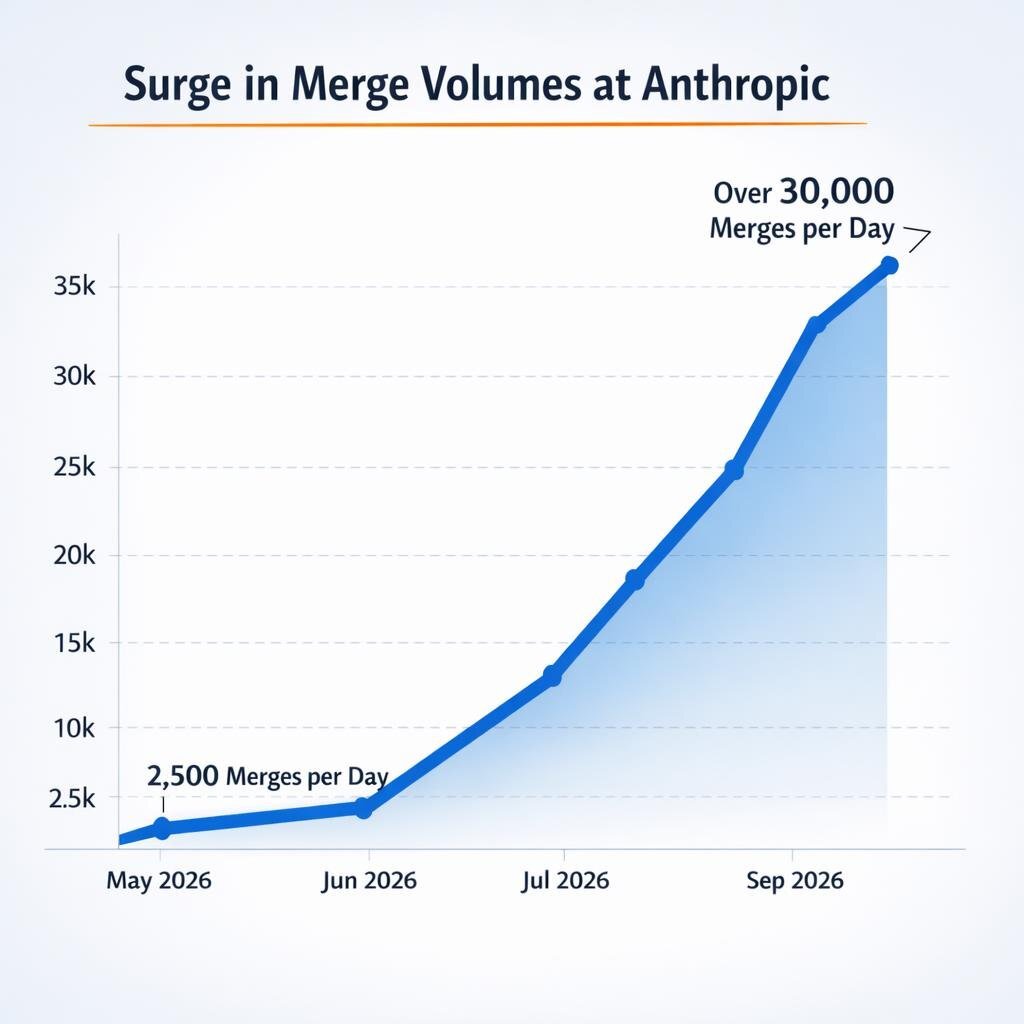
Most organizations will never see that volume, but the lesson still applies. If AI multiplies the number of changes, review, test, and release systems must scale with it; otherwise they become a bottleneck or a rubber stamp, and code review fatigue spreads across the team.
What Anthropic, Microsoft/GitHub, Shopify, and Airbnb Show
Four recent public examples show what happens when organizations put structure around AI-generated change. The table below summarizes what each one did and the practical lesson it offers.
| Company | What they did | Safeguard illustrated | Practical lesson |
|---|---|---|---|
| Anthropic | Built a new source control system, Scion, and migrated its monorepo off git in five months, with Claude writing much of the code | Human approval gates; tests (simulations, fuzzing) | Engineers set and enforce system constraints. AI works inside them. |
| Microsoft / GitHub | GitHub Copilot modernization runs Assess → Plan → Execute, with an editable plan and validation after each step | Incremental changes; human approval gates | Make the plan a reviewable artifact before any code changes. |
| Shopify | Rebuilt the Shop app from React Native to native Swift and Kotlin in 12 weeks, then formalized a checkpoint workflow called Helix | Incremental changes; tests; human approval gates | Advance one small checkpoint at a time, with tests, visual parity, adversarial review, and engineer sign-off. |
| Airbnb | Migrated nearly 3,500 test files from Enzyme to React Testing Library in six weeks, against an estimated 1.5 years by hand | Tests first; automated validation | Mechanical, well-bounded work with automatic pass/fail checks gives the largest speedup. |
Anthropic: AI wrote the code, engineers held the constraints
To handle that merge volume, Anthropic redesigned its source control and moved its monorepo to an in-house system called Scion in five months. A team of seven engineers built Scion and several related systems, and Claude wrote much of the code, including the migration tooling itself.
By the team's own account, one of the main engineering jobs was to tell Claude "no" when it broke a system constraint, for example when it scanned the commit log instead of querying the code review tool. Engineers reviewed the intent of every change request, and the review tooling applied semantic constraints so that comment-only changes and changes to sensitive logic received different treatment. The team also relied on hermetic simulations (isolated, repeatable test environments), fuzzing, and rate limiting.
In a separate example, Claude rewrote a hand-written ingestion-pipeline prototype into a version that used 20x less memory and ran 4x faster while keeping the pipeline's ordering and data-structure invariants. The speedup is impressive, but the preserved invariants are what made the new version usable.
One caveat matters here: Anthropic states that Scion is not a general replacement for git, so the method is worth copying even though the tool is not.
Microsoft/GitHub: the plan is a deliverable
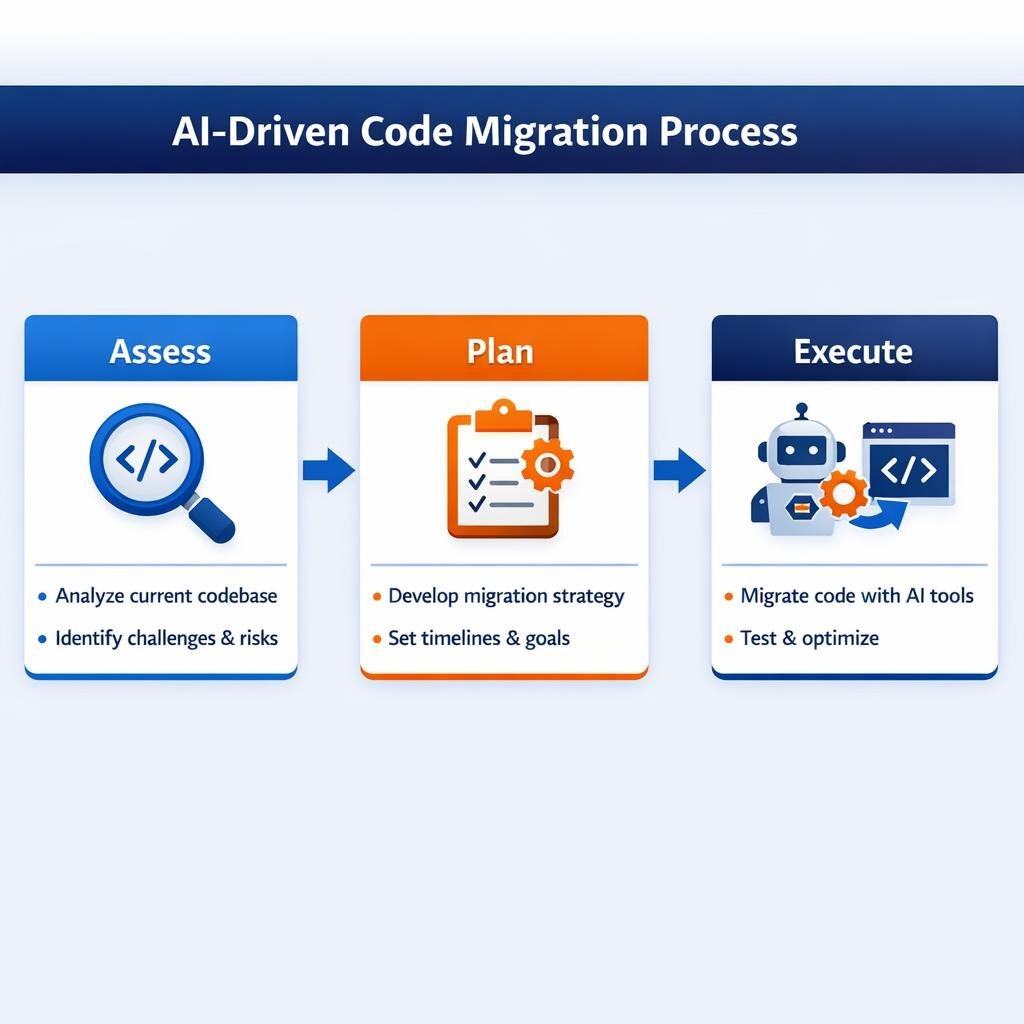
GitHub Copilot modernization uses an Assess → Plan → Execute model for Java and .NET applications. The assessment scans code, configuration, and dependencies, then rates each issue as mandatory, potential (needs human judgment), or optional. Planning produces an editable plan and a task list with success criteria and progress tracking, and users approve the plan before execution starts. During execution, the tool runs build validation and security scans after each step and commits the changes so that they can be reviewed and rolled back. Microsoft's summary: "The modernization agent proposes; you approve."
Shopify: one checkpoint at a time
Shopify rebuilt its Shop app from React Native to native SwiftUI and Jetpack Compose in 12 weeks, from proof of concept to app store release. Engineers approved requirements and plans before agents wrote any code, and each approval was tied to a hash of the plan, so any later edit cancelled it. At named checkpoints, agents compared screenshots and analytics events from the old and new apps to confirm that they matched.
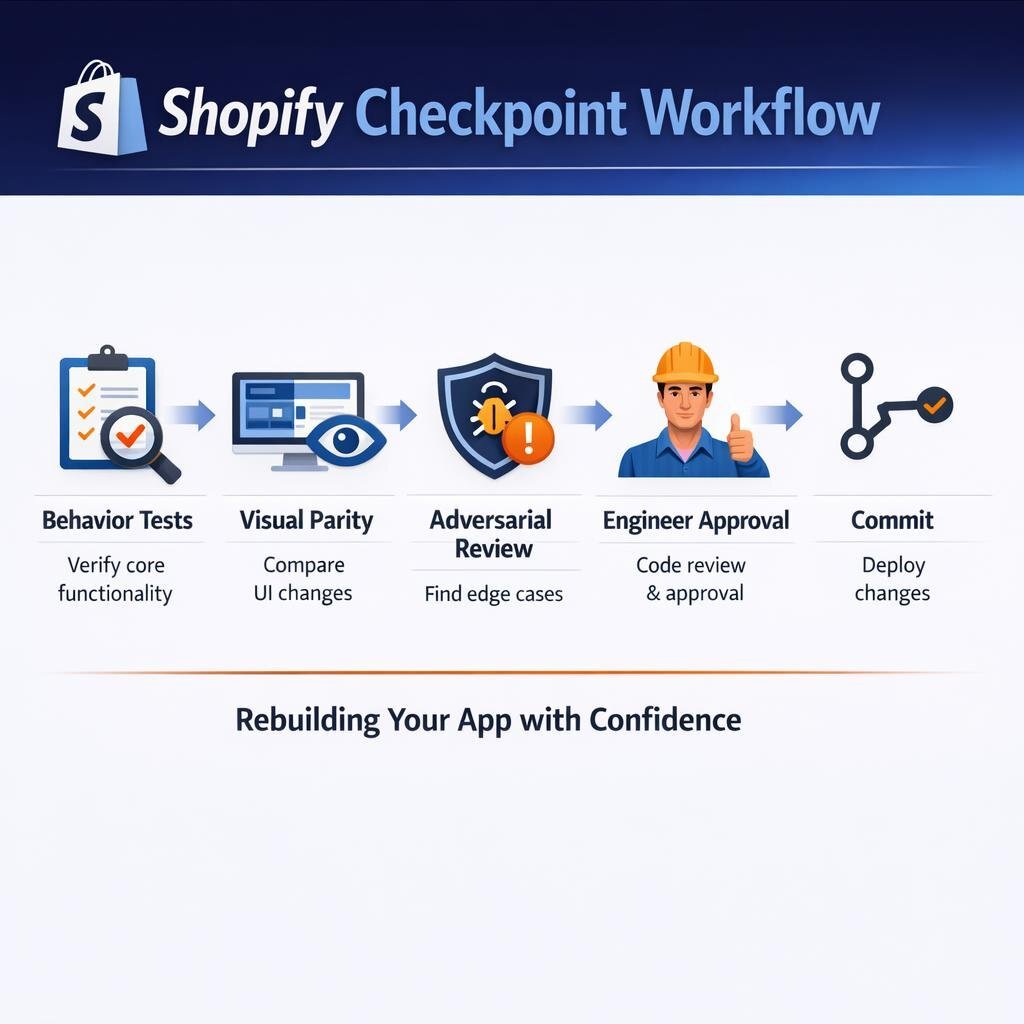
Shopify then applied those lessons in Helix, the workflow it now uses to migrate its larger Shopify App, which has more than 300 screens. Helix splits each screen into small checkpoints, and each checkpoint must pass four gates before work moves on.
Shopify checkpoint approval flow
| Step | Gate | Pass condition | If it fails |
|---|---|---|---|
| 1 | Behavior tests | All relevant generated tests pass | Agent fixes the code and reruns |
| 2 | Visual parity | AI design reviewer finds no fixable differences from the React Native reference screenshots | Agent fixes and recaptures |
| 3 | Adversarial review | Two independent, context-isolated AI reviewers approve | Agent fixes findings; tests and UI gate rerun |
| 4 | Engineer approval | Engineer reviews the code and the running app | Feedback goes back to the agent; gates rerun |
| 5 | Commit | Checkpoint is committed | Next checkpoint begins |
Airbnb: mechanical scope, automated validation
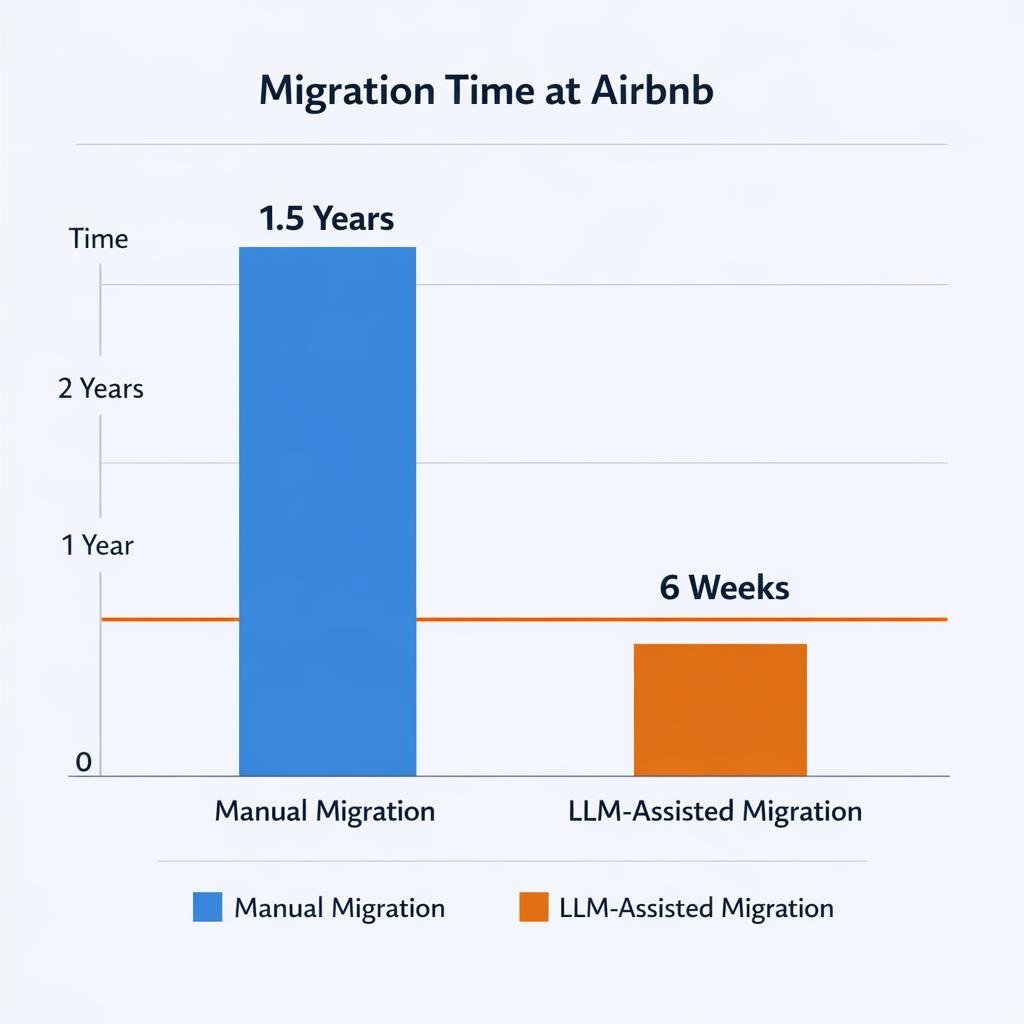
Airbnb migrated nearly 3,500 React component test files from Enzyme to React Testing Library in about six weeks, against an estimated 1.5 years of manual work. Each file moved through a state machine, a fixed sequence of steps (refactor, fix Jest failures, fix lint and type errors), and advanced only when its current step passed validation. When a step failed, the pipeline retried it with the error output added to the prompt.
The first bulk run migrated about 75% of the files in four hours, four days of tuning raised that figure to 97%, and engineers finished the remaining files by hand.
The common pattern across all four cases is that as AI did more of the work, each organization added more structure around it, not less.
Safeguard 1: Tests first
Before an AI agent changes a single line, the team needs a record of what the system does today, because every later change will be compared with that baseline.
- Characterization tests record current behavior, whether it is correct or not. AI is good at drafting them, but humans decide which odd behaviors are real requirements.
- Contract tests check the interfaces that other systems depend on, such as API shapes, file formats, and message schemas.
- Golden outputs are saved results from real, sanitized inputs, such as a month of invoices, and new code must reproduce them or someone must explain each difference.
- Integration tests cover the paths that run through databases, queues, and external services.
- Baseline metrics record latency, throughput, memory, error rate, and cost per transaction under a defined workload.
One rule is specific to AI: lock the baseline. An agent that cannot pass a test may try to "fix" the test instead of the code, so any change to baseline tests or golden outputs needs explicit human approval.
Safeguard 2: Incremental changes
A big-bang rewrite concentrates all of the risk in one cutover, while incremental change spreads it across many small, reversible steps.
- Module-by-module work. Finish and verify one bounded area before starting the next one.
- Strangler fig pattern. New components are built next to the old system, and traffic moves to them gradually until the old code can be removed. The same pattern is central to rescuing legacy codebases incrementally.
- Feature flags. Switches turn new code paths on or off without a deployment, so a small group of users sees each change first.
- Rollback plans. Every change ships with a tested way back to the previous version.
- One bounded change per pull request. Reviewers cannot approve what they cannot read, so each pull request should do one thing.
Agile delivery reinforces this approach, because short iterations that each end with a reviewed, working increment let business owners see progress and redirect the work early. Teams that do not yet have a strong agile rhythm can make these incremental changes much safer by working with a partner that runs short, disciplined sprints.
Safeguard 3: Profiling
AI tools will suggest optimizations almost everywhere, and most of them will not matter. Profiling, which measures where a program actually spends its time and memory, shows which change is worth making.
- Define the workload. Use realistic volumes, such as a month-end batch for the largest customer, rather than a toy input.
- Measure the baseline. Record p50 and p95 latency (median and 95th-percentile response time), throughput, CPU, memory, and database time.
- Find one hotspot. A flame graph, which charts where time goes function by function, shows the largest cost.
- Change one thing. Ask the AI for options for that hotspot only, and leave the rest of the code alone.
- Re-measure under the same workload. Keep the change only if the numbers improve and all tests still pass.
Benchmarks should run in a pinned environment, such as the same Docker image on the same hardware class, so that results from different runs stay comparable.
Legacy optimization control loop
| Step | Action | Evidence produced |
|---|---|---|
| 1. Profile | Run the defined workload under a profiler | Flame graph; ranked hotspot list |
| 2. Change one hotspot | Optimize a single hotspot | Single-purpose pull request |
| 3. Test | Run characterization, contract, and integration tests | Passing test report |
| 4. Benchmark | Run the same workload again | Before/after benchmark report |
| 5. Review | Engineer reviews the code and the numbers | Approval record |
| 6. Release | Ship behind a flag or to a canary group | Release record; rollback plan |
| 7. Monitor | Compare production metrics with the baseline | Monitoring dashboard |
Safeguard 4: Human approval gates
"A human reviews the AI's code" is too vague to work as a control, so each organization needs a written record of who approves what. Regulated teams can extend the matrix below into a fuller approval framework for AI-generated code.
| Decision | AI may | Human must approve | Typical approver |
|---|---|---|---|
| Code change inside an approved scope | Write, test, and open a pull request | Merge | Senior engineer |
| Change to baseline tests or golden outputs | Propose, with a reason | Any change | Tech lead and business owner |
| Architecture or module boundaries | Propose options | The choice | Architect or CTO |
| Security, authentication, secrets, new dependencies | Flag issues and draft fixes | Any change | Security owner |
| Schema change or data migration | Draft scripts; run dry runs outside production | Production execution | Data owner and DBA |
| Production rollout | Prepare release notes and checks | Go/no-go | Release owner |
| Acceptance | Summarize the evidence | Sign-off | Business owner |
These gates belong in the delivery tools, not only in a policy document. In Azure DevOps, for example, branch policies can require named reviewers, linked work items, and a passing build before a merge, and each approval then becomes part of the audit trail.
The weight of each gate should match the risk, as Anthropic's tooling does when it treats comment-only changes differently from sensitive logic. Heavy review on trivial changes creates exactly the bottleneck that the gates are meant to prevent.
Safeguard-to-deliverable map
| Safeguard | Deliverable or control | What it proves |
|---|---|---|
| Tests first | Characterization and contract test suite | Current behavior is captured |
| Tests first | Golden output set; baseline metrics report | New code matches old results and performance |
| Incremental changes | Migration plan with ordered tasks | Scope and order are agreed |
| Incremental changes | Pull request checklist; feature flags; rollback plan | Each change is small and reversible |
| Profiling | Before/after benchmark report | The optimization helped |
| Profiling | Monitoring dashboard | The gain holds in production |
| Human approval gates | Approval records; architecture decision records | Accountable people made the key decisions |
The 200,000-Line Python Codebase Playbook
The following workflow is repeatable for a common case: a 200,000-line Python application, such as a Django or Flask back end with batch jobs, a PostgreSQL or SQL Server database, and patchy test coverage.
- Inventory. Map modules, entry points, scheduled jobs, and integrations, then generate an import graph (for example, with pydeps) and let AI summarize each module. An engineer checks the summaries for the critical paths.
- Baseline behavior. Measure coverage with coverage.py and have AI draft characterization tests for the most-used and most-changed modules. Capture golden outputs from sanitized production samples.
- Baseline performance. Define three to five representative workloads, profile them with py-spy or cProfile, and measure memory with a tool such as memray.
- Plan. Rank the work by business value and risk, and write it as ordered, bounded tasks, each with a success criterion and a rollback step. Humans approve the plan before execution starts.
- Add guardrails. Add type checks (mypy or pyright) to the modules that will change, enforce module boundaries with import-linter, and add a CI benchmark job that fails on regressions.
- Execute. The AI agent works on one task at a time, with one pull request per task, and it may not edit baseline tests without approval.
- Validate. CI runs every test layer, the golden-output comparison, static checks, dependency scanning, and benchmarks on each pull request.
- Review. Engineers review intent, constraints, and evidence. A second AI reviewer can add a useful check, but it is never the approver.
- Roll out. Release behind feature flags or to a canary group, which is a small share of users or traffic. On Kubernetes, shift traffic gradually and keep the previous version ready; mature DevOps and release automation makes this routine.
- Monitor and iterate. Compare production metrics with the baseline for an agreed period, then profile again and pick the next task.
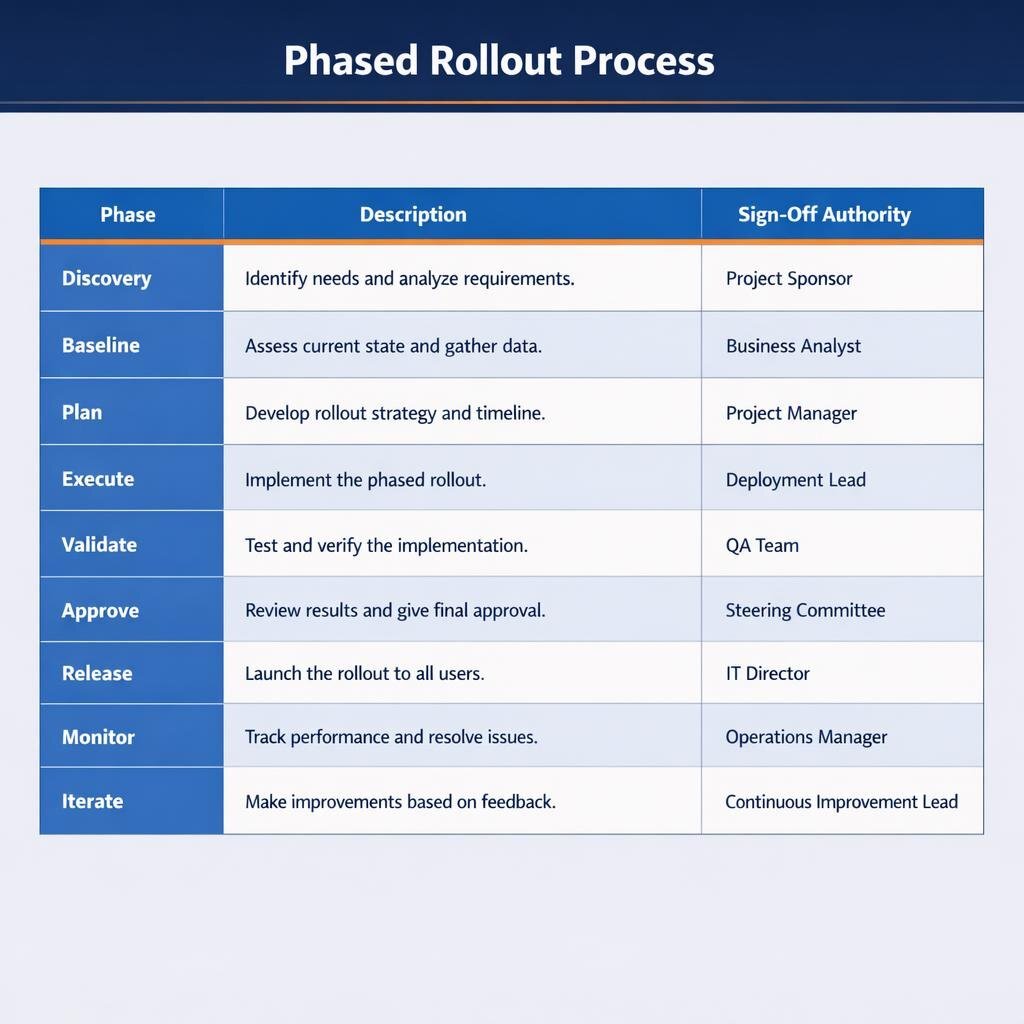
Phased rollout
| Phase | Main activity | Exit gate | Who signs off |
|---|---|---|---|
| Discovery | Inventory and dependency map | Critical paths confirmed | Tech lead |
| Baseline | Tests, golden outputs, metrics | Baseline locked | Tech lead and QA |
| Plan | Ordered tasks with success criteria | Plan approved | CTO or architect, and business owner |
| Execute | One bounded change per pull request | Pull request opened with evidence | Engineer |
| Validate | Automated tests, benchmarks, scans | All checks pass | CI (automated) |
| Approve | Human review | Merge approved | Senior engineer |
| Release | Flags, canary, staged rollout | Go/no-go decision | Release owner |
| Monitor | Production metrics against baseline | No regression in the agreed window | Operations |
| Iterate | Profile again, update the plan | Next task selected | Tech lead |
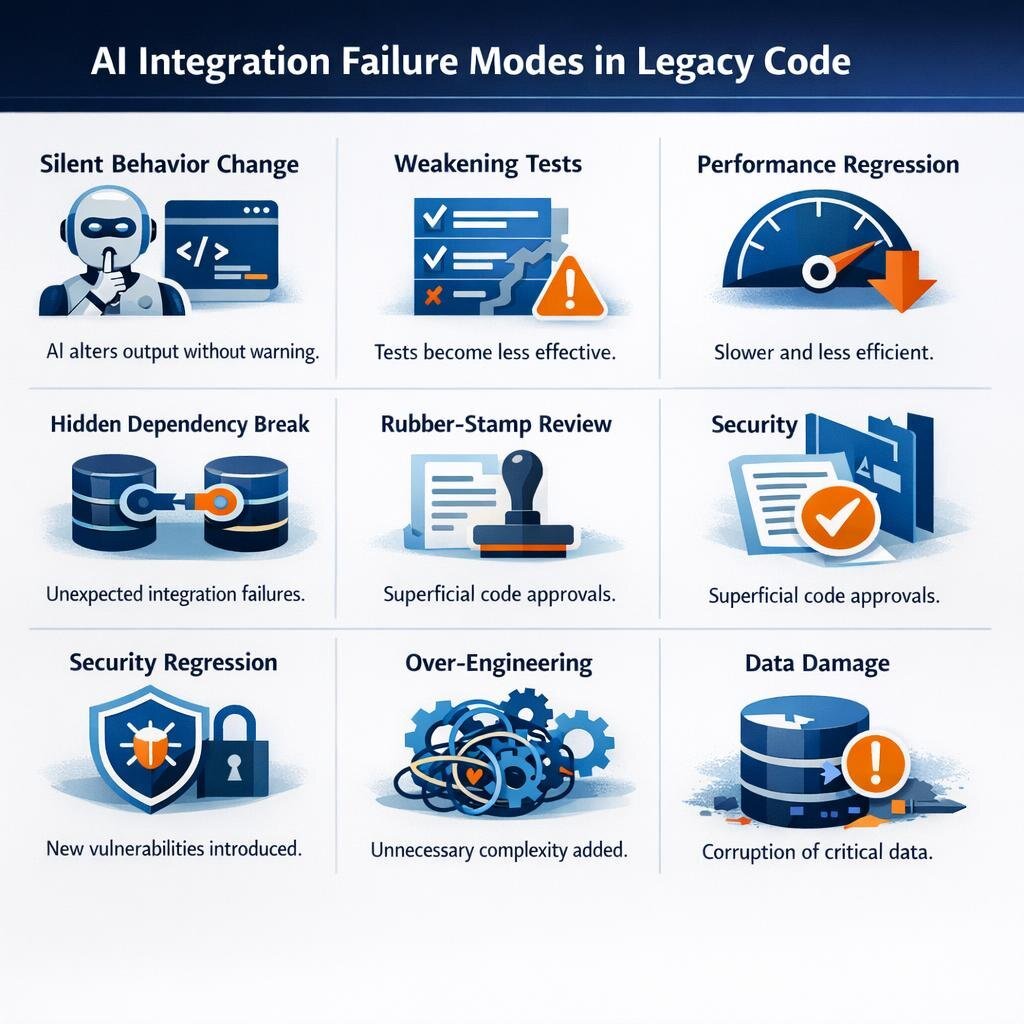
Common failure modes
| Failure mode | Warning sign | Safeguard |
|---|---|---|
| Silent behavior change | Tests pass, but a downstream report changes | Characterization tests; golden outputs |
| Tests weakened to pass | Deleted assertions; more skipped tests | Locked baseline; approval for test changes |
| Performance regression | Higher p95 latency after release; no benchmark in the pull request | Profiling baseline; CI benchmark gate |
| Hidden dependency break | A distant job fails after an "isolated" change | Dependency map; contract tests; small pull requests |
| Rubber-stamp review | Very large pull requests approved in minutes | One bounded change per pull request; size limits |
| Security regression | New dependencies or authentication changes with no security review | Security approval gate; dependency scanning |
| Over-engineering | Extra layers or validation that nobody asked for | Review against intent and documented constraints |
| Data damage | Row counts or totals differ after migration | Dry runs; reconciliation checks; approved cutover |
What not to delegate to AI
AI can analyze, draft, and propose in each of the following areas, but it should not make the final decision in any of them.
- Architecture decisions. These are long-term tradeoffs about cost, skills, and vendor lock-in, and AI sees the code but not the business plan. Sound enterprise application architecture remains a human responsibility.
- Security and compliance tradeoffs. Accepting a risk or handling regulated data needs an accountable owner who can answer for the decision.
- Data migrations. Code can be rolled back, but corrupted data often cannot.
- Production cutover. The right moment depends on customers, contracts, and support readiness, none of which appear in the codebase.
- Ambiguous legacy behavior. Only the business can decide whether odd behavior is a bug or a requirement.
- Final acceptance. An accountable person must confirm that the result meets the business need.
The realistic answers
Can AI optimize a large legacy codebase safely? Yes, provided that it works as a very fast contributor inside a controlled process. Airbnb finished in six weeks a migration it had estimated at 1.5 years, and Shopify shipped a rebuilt app in 12 weeks; in each case, tests, small steps, measurement, and human sign-off made that speed safe to use.
Practical next steps:
- Pick one bounded pilot, such as a slow batch job or a single module with clear inputs and outputs.
- Build the baseline first, including tests, golden outputs, and performance numbers.
- Write the approval matrix before any AI agent opens a pull request.
- Measure the pilot on cycle time, defects, and performance, and then decide whether to scale.
For a CFO, a pilot produces cost and time data from the organization's own codebase instead of vendor claims. For sales and marketing leaders, staged rollouts mean that customers see improvements without disruption. Treating AI-powered software development as an engineering program rather than a tool purchase is what makes both outcomes possible.
Organizations that lack the in-house capacity for this kind of program often bring in a partner such as Baytech Consulting, which tailors each modernization plan to the codebase in front of it and delivers in short agile increments with transparent reporting. The same team focuses on integrating AI into existing applications, so that agents can work against real production data with guardrails in place. For teams weighing AI-assisted modernization, a refactor of a critical system, or long-term application management, a review of the current codebase is a practical way to define a safe first step.
Frequently Asked Questions
Can AI safely rewrite a 200,000-line legacy codebase?
Not in one pass, and not without a baseline. AI can help rewrite it as a long series of small, verified changes, where each change has tests that capture current behavior, a benchmark wherever performance matters, and a human review. A single large AI-generated rewrite is hard to review and even harder to roll back.
What should humans approve before AI changes production code?
At minimum, humans should approve the plan and scope, any change to baseline tests or golden outputs, architecture changes, security-sensitive code and new dependencies, data migrations, the production rollout, and final acceptance. Each approval should be recorded in the delivery tools, such as branch policies and work items, so that the organization has a complete audit trail.
Our legacy system has almost no tests. Can we still use AI?
Yes, and writing tests is often the best first use of AI. An agent can draft characterization tests and golden-output comparisons from existing code and sanitized data, and engineers then confirm which captured behaviors are real requirements. Refactoring should not start until this baseline exists.
What kind of modernization work does AI handle best?
AI performs best on work with a clear scope and automatic pass/fail checks, such as test framework migrations, framework and library upgrades, API replacements, and repetitive refactors; Airbnb's test migration is a good example. It is weaker when requirements are unclear, when correctness is hard to test, or when the decision is really a business tradeoff.
Does AI-generated code add security risk?
It can. AI may add dependencies, copy insecure patterns, or change authentication logic in ways that still pass functional tests. Teams should run dependency and vulnerability scans in CI, route security-sensitive changes to a named reviewer, and keep production secrets out of reach of AI agents.
Supporting Links
- From Copilots to Swarms: Taming the AI Agents That Write Your Code
- Top AI Agencies for Legacy Software Modernization
- Harnessing Generative AI for Enterprise Success in 2025
About Baytech
At Baytech Consulting, we specialize in guiding businesses through this process, helping you build scalable, efficient, and high-performing software that evolves with your needs. Our MVP first approach helps our clients minimize upfront costs and maximize ROI. Ready to take the next step in your software development journey? Contact us today to learn how we can help you achieve your goals with a phased development approach.
About the Author

Bryan Reynolds is an accomplished technology executive with more than 25 years of experience leading innovation in the software industry. As the CEO and founder of Baytech Consulting, he has built a reputation for delivering custom software solutions that help businesses streamline operations, enhance customer experiences, and drive growth.
Bryan’s expertise spans custom software development, cloud infrastructure, artificial intelligence, and strategic business consulting, making him a trusted advisor and thought leader across a wide range of industries.